The Ultimate Guide to
The 5-Step QA Audit That Finds Conversion Killers in Your Onboarding Flow
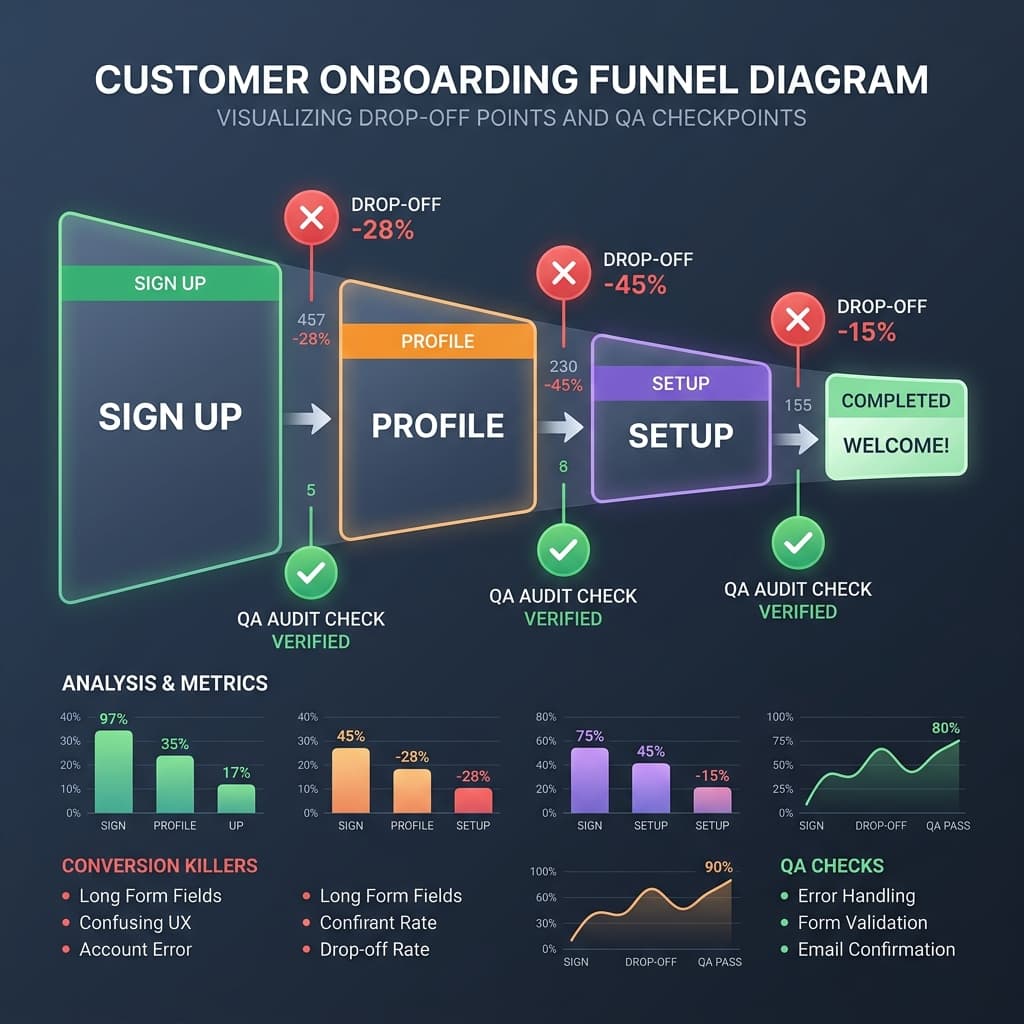
The 5-Step QA Audit That Finds Conversion Killers in Your Onboarding Flow
You fixed the bug. You deployed the fix. You moved on.
But somewhere in your onboarding flow, a step is broken right now — and you don't know it. Your activation rate is quietly declining. New signups are hitting a wall and never coming back. And your team is focused on the next feature.
This is the most expensive QA problem in SaaS: not the bugs you find, but the ones you never look for.
A structured onboarding QA audit, run regularly, is the difference between a leaky funnel and a predictable activation rate. Here are the 5 steps.
#### Why Onboarding Bugs Are Different
Most QA processes are built around known user paths. You test the features users report problems with. You run regression tests on code you just changed. You check that the login works.
What this misses is the experience of a brand new user seeing your product for the first time — with no context, no training, and no patience.
Onboarding bugs are uniquely destructive because:
A dedicated onboarding QA audit addresses exactly this gap.
#### Step 1 — Map Your Critical Activation Path
Before you can audit your onboarding, you need to define it precisely. Your critical activation path is the minimum sequence of steps a new user must complete to reach your product's first "aha moment."
For most SaaS products this looks like:
1. Sign up / create account
2. Verify email
3. Complete profile or workspace setup
4. Connect an integration or import data
5. Perform the first core action (create a report, invite a teammate, run a scan, etc.)
Write this out explicitly. Every step should be a testable action with a clear pass/fail condition. If a step is ambiguous, break it into sub-steps until it isn't.
This path — not your full feature set — is what you audit.
#### Step 2 — Test Across Every Entry Point
Most teams test onboarding as if all users arrive the same way. They don't.
A complete onboarding audit tests your critical path from every realistic entry point:
Bugs that only appear in SSO flows or invite flows are invisible if you only test direct sign-up. These are exactly the kinds of bugs that silently kill conversion for entire user segments.
#### Step 3 — Audit Your Empty States
Empty states are the most under-tested part of any SaaS onboarding. They're the screens new users see before they've added any data — and they're often broken, confusing, or simply never designed at all.
For each step in your critical path, ask:
A user who reaches your "Connections" page and sees a blank screen with no explanation or CTA is not going to figure it out. They're going to close the tab.
Empty state QA catches these conversion killers in 30 minutes. Most teams never do it.
#### Step 4 — Time Your Onboarding Flow Under Realistic Conditions
Speed is part of QA. An onboarding flow that works perfectly at 100ms server response time may break entirely at 2–3 second response times — which is what users on mobile networks actually experience.
Time your critical activation path under three conditions:
Fast (< 500ms)
— your local or staging environment
Normal (1–2s)
— simulate with Chrome DevTools network throttling set to "Fast 3G"
Slow (3–5s)
— Chrome DevTools "Slow 3G"
Look specifically for:
A user who clicks "Connect Slack" and sees nothing happen for 4 seconds will click it again, creating a duplicate connection, then see a cryptic error. This is a conversion killer that only appears under realistic network conditions.
#### Step 5 — Run a Post-Deploy Regression on Every Release
Every code deployment is a potential onboarding regression. A backend change to your auth system can break email verification. A CSS update can hide the "Next" button on mobile. A database migration can cause workspace creation to silently fail.
Your onboarding audit should not be a quarterly exercise — it should be part of your deployment process.
Set up a lightweight regression checklist that runs after every production deploy:
Five checks. Ten minutes. Run after every deploy.
The teams that catch onboarding regressions in 10 minutes lose one deployment's worth of conversions. The teams that don't catch them lose weeks.
#### How feedalyze.net Automates This Audit
feedalyze.net's QA Flow Audits automate your critical path testing across browsers and entry points on every deployment. Instead of running a manual checklist after each release, feedalyze.net:
The onboarding bugs that were silent conversion killers become the bugs that get caught in CI.
#### The Bottom Line
Onboarding QA is not glamorous work. It doesn't ship features. It doesn't make it onto the roadmap.
But it is the highest-ROI QA investment a SaaS team can make. A single broken step in your onboarding can cost you 20–40% of new signups — silently, indefinitely, until someone runs the audit.
Run the five steps above this week. You will find something broken.
*Want feedalyze.net to run your onboarding audit automatically after every deploy? [See how QA Flow Audits work →](https://feedalyze.net)*
Turn messy feedback into growth.
Automate your client feedback analysis. Detect churn risk and extract actionable insights in seconds with our AI-powered engine.